
As I wrote back in December I still required GTD + OmniFocus since I probably couldn’t handle my high and diverse workload with a Bullet Journal. Weirdly enough, exactly that high workload caused some problems with my OmniFocus setup. I could no longer see the big picture. Projects were far too fine-grained and folders did not help. I also didn’t really know based on just looking at the system, what project was the most important one right now.
One of GTD’s and OmniFocus’ major advantage is that it shows you primarily those tasks that you can work on right now based on context information. Outside of very broad location information, contexts stopped working for me a long time ago, though. Perhaps it was the move to home-office, perhaps I didn’t try hard enough, but configuring perspectives for common context-combination was simply something that I don’t do.
For me, work needs either to be done by a certain time due to external constraints or it can be done following just broad priorities. And GTD isn’t great at providing a high-level view over projects that is prioritized.
High-level view
That made me think about your classic Kanban board. The idea of such a board is to visualize work, to provide either a whole team or just a single person an overview of what needs to be done in the future (aka “the backlog”), what is currently being done, and what has been completed. Work is in the simplest case a piece of paper/sticky note that is put into one of these status columns. The backlog in the in-progress column should be sorted based on priority so that it’s clear what to focus on (next).
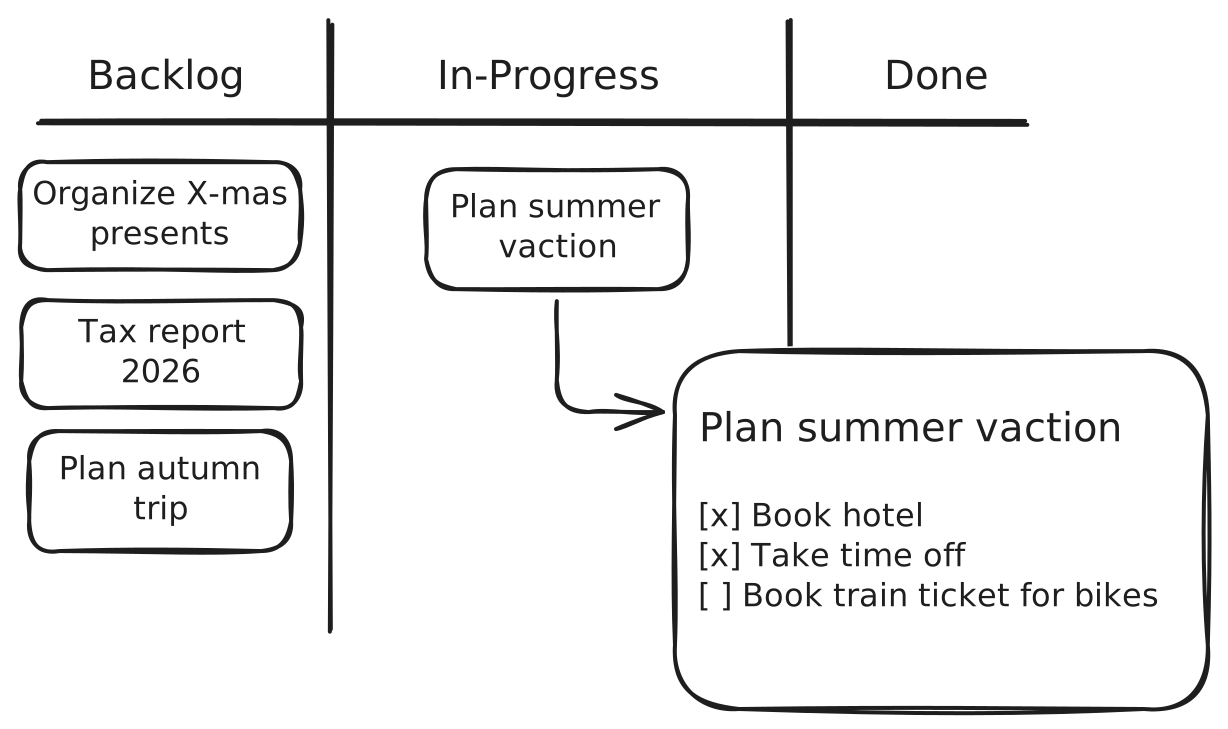
That’s what I’ve now started to implement for my personal projects using Obsidian and the Kanban plugin. Each project in there is a Markdown file that in turn contains a list of all the things that need to be done to finish the project.
I went with a digital system here again, because managing projects in a Bullet Journal has never really worked for me. It just involves too much repetition and it’s just to easy to forget something while moving tasks from project pages to weekly pages to daily pages to keeping a high-level view of why I wanted to do the project in the first place.
Reviewing and prioritizing
This approach only works if the tasks stay organized and reviewed. That’s what I’m doing at least once per week, checking the projects if they still make sense, switching priorities if necessary, and keeping the task lists in them up-to-date.
Every week I then create a weekly page in my notebook where I write down all the tasks that need to be done during that week based on deadlines written down in the project files.
Every morning I check with that list and break down what I want to tackle on that particular day.
Kanban + Bullet Journaling
So that’s it! Kanban for the strategic, a Bullet Journal for the tactical and operational level. While I’ve only done that for my personal projects for the last month, I’ve had it for work for about half a year now.
I’d also like to limit my work-in-progress column but that’s currently not realistic. Hopefully by the end of the year, though. For now having a visualization of the things that need to get done that is more useful than OmniFocus’ project list needs to be enough. That and finally using paper + ink again for task lists 😅
Do you want to give me feedback about this article in private? Please send it to comments@zerokspot.com.
Alternatively, this website also supports Webmentions. If you write a post on a blog that supports this technique, I should get notified about your link 🙂